Self-hosted VPN: WireGuard on a VPS you pay in Monero
Published 15 Oct 2026
Build a self-hosted VPN on a cheap VPS with WireGuard, paid in Monero: the setup step by step, real costs, and what a personal VPN cannot hide.
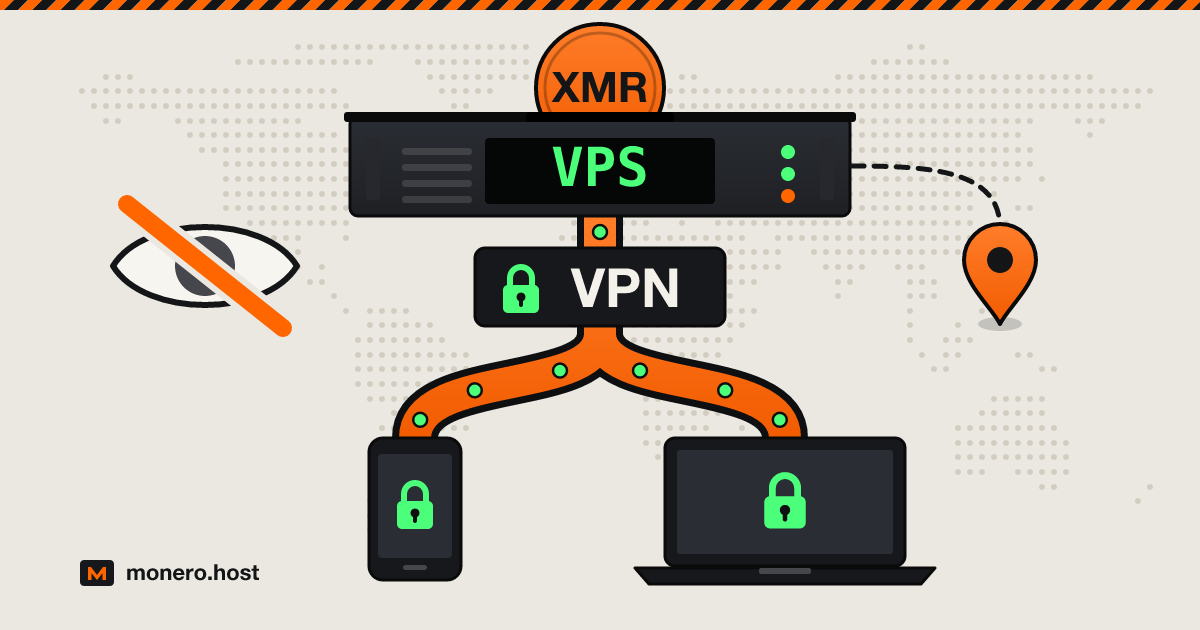
A self-hosted VPN is a WireGuard server on a small VPS you rent: your phone and laptop tunnel to it, and the sites you visit see the server's address instead of your home connection. Building your own VPN takes a handful of commands and roughly €3 to $10 a month, and paid in Monero to a provider that asks for an email at most, the invoice carries no name. It does not make you anonymous, and that trade-off is where this guide starts.
Checked on 1 October 2026.
VPS vs VPN: what each one hides
A VPS (virtual private server) is a rented virtual machine; on its own it hides nothing. A VPN (virtual private network) is an encrypted tunnel from your device to a server: your network sees encrypted packets to one address, and sites see the server instead of you.
Put VPN software on a VPS and you have your own; subscribe to Mullvad or IVPN and you share theirs. Who sees what:
| Who sees what | No VPN | Your own VPN on a VPS | Shared commercial VPN |
|---|---|---|---|
| Your ISP or the café Wi-Fi | Every site you visit | Encrypted UDP to one server | Encrypted traffic to the VPN's server |
| The sites you visit | Your home IP | Your server's IP, used by you alone | An IP shared by many customers |
| Whoever runs the server | No server involved | Your hosting provider can see volume and connecting IPs | The VPN company, under its logging policy |
When a self-hosted VPN makes sense, and when a shared VPN is better
Before you create your own VPN, decide who you are hiding from. A DIY VPN wins when the threat is the network under you: hotel Wi-Fi, an ISP that logs your browsing, an office filter. It also gives you a fixed exit address and no VPN company to trust.
It loses when the threat is at the other end. An exit IP only you use works like a fingerprint: log in to one account that carries your name and the address carries it too. Your hosting provider also knows one customer sits behind that IP and, if it keeps flow records, which address connects to it every morning: your home.
A shared VPN hides you in a crowd: each exit address points to the VPN company, not to a person. Our network bay lists the ones that take Monero. For anonymity toward the sites themselves, neither replaces Tor Browser.
What you need: a KVM VPS, a location, a Monero payment
KVM, not containers. A KVM VPS has its own Linux kernel with WireGuard already in it; a container VPS (OpenVZ, LXC) shares the provider's kernel and may not let you load it.
Small is fine. A personal VPN server needs little CPU or memory; read the traffic allowance instead. One terabyte a month is about 3 Mbit/s around the clock.
A location close to you, since distance adds latency. Jurisdiction decides who can ask the provider for records; our offshore guide covers that.
A signup that does not undo the payment. Monero keeps your name off the invoice, but a phone number or an ID check puts it back. The full ordering routine is in our no-KYC walkthrough.
WireGuard VPS options that take Monero, alphabetically, from each provider's own pages:
| Provider | Smallest plan | Traffic | Signup asks for | Notes |
|---|---|---|---|---|
| 1984 Hosting | €8.72 / month (1 CPU, 1 GB RAM) | 1 TB | Email, phone optional | Iceland; ready-made WireGuard image |
| Cockbox | $10 / month (0.5 vCPU, 1 GB RAM) | "Unlimited" in Moldova | Email (not verified) and password | Moldova, Romania; Bitcoin or Monero |
| Kyun | About €3.10 / month (1 core, 1 GiB, 10 GB, one IPv4) | Not published | Password and a proof-of-work puzzle | Monero only; US, Netherlands, Romania |
| Servers Guru | €4.99 / month (1 vCPU, 2 GB RAM) | 20 TB out, incoming unmetered | Netherlands, Finland, Singapore, Canada | |
| SporeStack | $4 / month (Slow Servers, 768 MiB, IPv4) | 0.375 TiB | Nothing: you fund a token | Slow Servers sit in Spokane (US) and take up to 48 hours; DigitalOcean and Vultr servers launch in minutes, from $7.50 per 30 days |
Mynymbox (from €4 a month, email only) permits VPN services in its acceptable use policy, but every one of its VPS plans showed out of stock on the day. More in the VPS bay.
Set up WireGuard on the VPS
WireGuard has been part of the Linux kernel since version 5.6, released in March 2020 (announcement), so on Debian 12 or 13 or Ubuntu 24.04 and later there is nothing to compile. Log in as root with your SSH key and pick a route.
Option A: plain WireGuard with wg-quick
The complete WireGuard server, configured by hand. Run ip route show default and note the word after dev (often eth0 or ens3): use it wherever eth0 appears below.
apt update && apt install -y wireguard iptables qrencode
cd /etc/wireguard
umask 077
wg genkey | tee server.key | wg pubkey > server.pub
wg genkey | tee phone.key | wg pubkey > phone.pub
Create /etc/wireguard/wg0.conf:
[Interface]
Address = 10.66.66.1/24
ListenPort = 51820
PrivateKey = <contents of server.key>
PostUp = iptables -A FORWARD -i wg0 -j ACCEPT; iptables -t nat -A POSTROUTING -o eth0 -j MASQUERADE
PostDown = iptables -D FORWARD -i wg0 -j ACCEPT; iptables -t nat -D POSTROUTING -o eth0 -j MASQUERADE

[Peer]
PublicKey = <contents of phone.pub>
AllowedIPs = 10.66.66.2/32
And the client file, phone.conf:
[Interface]
PrivateKey = <contents of phone.key>
Address = 10.66.66.2/32
DNS = 9.9.9.9

[Peer]
PublicKey = <contents of server.pub>
Endpoint = <server IP>:51820
AllowedIPs = 0.0.0.0/0, ::/0
PersistentKeepalive = 25
AllowedIPs = 0.0.0.0/0, ::/0 sends everything into the tunnel; since this server only forwards IPv4, IPv6 fails instead of leaking around it. Start the server and show the client as a QR code for the WireGuard app:
systemctl enable --now wg-quick@wg0
qrencode -t ansiutf8 < phone.conf
Each extra device is another key pair and [Peer] block (10.66.66.3/32 and so on), then systemctl restart wg-quick@wg0. Once a device has its configuration, delete its .key and .conf files from the server.
Option B: wg-easy in Docker, with a web interface
wg-easy wraps WireGuard in a container with a web UI for adding clients and showing QR codes. Its GitHub page shows the AGPL-3.0-only licence, release 15.4.0 from August 2026 and commits in late September 2026. Install Docker and fetch the compose file:
curl -sSL https://get.docker.com | sh
mkdir -p /etc/docker/containers/wg-easy
cd /etc/docker/containers/wg-easy
curl -o docker-compose.yml https://raw.githubusercontent.com/wg-easy/wg-easy/master/docker-compose.yml
The file runs ghcr.io/wg-easy/wg-easy:15, with WireGuard on UDP 51820 and the web UI on TCP 51821, open to the internet. The project suggests an HTTPS reverse proxy for reaching the UI from outside; for one person it is simpler to keep the UI private. Change its port line to "127.0.0.1:51821:51821/tcp", then uncomment the environment: line and the INSECURE line under it, set to true. Plain HTTP is acceptable here only because nothing outside reaches it, which is the condition the project's no-reverse-proxy guide sets. Run docker compose up -d, then tunnel in from your computer and browse to http://localhost:51821:
ssh -L 51821:127.0.0.1:51821 root@<server IP>
Do not rely on ufw to hide the port instead: Docker's documentation warns that published ports bypass ufw's rules.
IP forwarding, firewall and DNS
Option A needs packet forwarding (the wg-easy compose file sets it for its container), then a firewall that admits SSH and WireGuard only. Change 22 if your SSH listens elsewhere, and answer y when ufw enable warns about SSH:
echo "net.ipv4.ip_forward=1" > /etc/sysctl.d/99-wireguard.conf
sysctl --system
apt install -y ufw
ufw allow 22/tcp
ufw allow 51820/udp
ufw route allow in on wg0 out on eth0
ufw enable
The DNS = line decides who answers your lookups. With 9.9.9.9 (Quad9) the queries cross the tunnel, so your ISP stops seeing them but Quad9 does. To involve no third party, run a resolver such as Unbound on the server, listening on 10.66.66.1, open it to the tunnel with ufw allow in on wg0 to any port 53, and point DNS = there.
To test, open any what-is-my-IP page with the tunnel on: it should show the server's address.
On censored networks: AmneziaWG, Outline and VLESS
WireGuard does not disguise itself: its documentation leaves obfuscation to a layer above it, and it has no TCP mode (known limitations). A network that inspects packets can spot and drop it. Three open-source projects target that case, all on the same kind of VPS:
- AmneziaWG, a fork of WireGuard-Go by the Amnezia project, sends junk packets before the handshake, swaps WireGuard's fixed message headers for values you choose and pads packets so their sizes stop matching. With those options off it stays compatible with WireGuard (documentation). The AmneziaVPN app installs it on your server over SSH.
- Outline runs a Shadowsocks server managed from a desktop app. Launched by Jigsaw, an incubator within Google, in 2018, it passed to the independent Outline Foundation in 2026 (FAQ).
- VLESS is the lightweight transport protocol of the Xray project (specification), often run on port 443 over TLS or Xray's REALITY so the connection resembles ordinary HTTPS.
These tools exist because some states restrict VPNs. As of 1 October 2026, as a summary and not legal advice:
- China: a January 2017 Ministry of Industry and Information Technology notice bars setting up or renting VPN channels for cross-border operations without approval (official text).
- Russia: Federal Law No. 281-FZ of 31 July 2025, in force since 1 September 2025, fines anyone who advertises tools for reaching blocked resources, such as VPNs, and anyone who knowingly looks up and opens material on the official extremist list, with or without such a tool.
- Iran: in February 2024 the Supreme Council of Cyberspace announced a resolution forbidding VPNs without a legal permit; its secretary later said it was aimed at state bodies rather than the public, which leaves the scope unclear.
Rules and enforcement change. Check the current law where you are.
Keep the server from leaking
Keys only for SSH. Put
PasswordAuthentication noin/etc/ssh/sshd_config.d/10-keys.conf, runsystemctl reload ssh, and confirm in a second window that your key still gets you in. Use a key made for this server alone.Automatic security updates.
apt install -y unattended-upgrades, thendpkg-reconfigure -plow unattended-upgradesto switch them on.Logs in memory.
wg showkeeps each peer's last address in RAM, and SSH logs every login with its source IP. Keep the system journal in RAM too:mkdir -p /etc/systemd/journald.conf.d printf '[Journal]\nStorage=volatile\n' > /etc/systemd/journald.conf.d/volatile.conf systemctl restart systemd-journaldThe journal then lives under
/run/log/journal, gone at reboot. Ifrsyslogis installed, it writes its own files in/var/log.SSH through the tunnel. With Option A working, run
ufw allow in on wg0 to any port 22 proto tcpandufw delete allow 22/tcp, then connect to10.66.66.1. If the tunnel ever breaks, the provider's web or serial console, where it offers one, is your way back in.One identity per server. Do not reuse the email, SSH key or username from your other accounts.
What it costs next to Mullvad or IVPN
| Option | Per month | Devices | Exit address |
|---|---|---|---|
| Your own VPS (table above) | About €3.10 to $10 | As many as you configure | Yours alone |
| Mullvad | €5, flat at any length | 5 | Shared |
| IVPN Standard | $6 ($2 a week, $60 a year) | 5 | Shared |
| cryptostorm | $6 | 1 | Shared |
All three services take Monero. The cheapest servers undercut them, but you pay in setup, updates and an exit address that only ever means you. You can also run both: your own server for hotel Wi-Fi, a shared VPN for anything that should not trace back to one user.
FAQ
Is it possible to self host a VPN?
Yes. Any Linux VPS with KVM and a public IPv4 address can run WireGuard, part of the kernel since Linux 5.6. Option A above is the whole method, and wg-easy adds a web interface. A Raspberry Pi at home works too, but then the exit address is your home IP.
Is VPS safer than VPN?
They are different things: a VPS is a server, a VPN is a tunnel. Your own VPN on a VPS means no VPN company to trust, but you are the only user of your exit address and the one who patches it. To blend in, a shared no-logs VPN paid in Monero is the better tool.
Can I use my VPS as a VPN?
Usually, yes: a KVM plan with IP forwarding switched on is enough, as long as the provider's rules allow it. Mynymbox's acceptable use policy permits VPN services, Servers Guru's Monero VPS page names VPNs among the intended uses, Cockbox allows anything legal in Romania, and 1984 Hosting offers a ready-made WireGuard image. SporeStack servers must also follow DigitalOcean's or Vultr's rules. Watch the traffic allowance.
What are the downsides of using WireGuard VPN?
It makes no attempt at obfuscation and has no TCP mode, so a network that blocks it or allows only TCP will stop it. The server keeps each peer's last IP address in memory. The protocol is not post-quantum secure by default, though a pre-shared key adds a layer.
Is using a VPN illegal in the US?
No federal law bans it, and the Federal Trade Commission publishes tips on choosing a VPN app (February 2018). What you do through the tunnel falls under the same laws as without it, and a website's terms may still forbid VPN access. This is a summary, not legal advice.
The short version
Rent a small KVM VPS with Monero, install WireGuard with wg-quick or wg-easy, close everything except SSH and UDP 51820, and keep logs in RAM and SSH behind the tunnel. That buys privacy from the network you sit on. Privacy in a crowd is what a shared VPN sells, and anonymity is Tor's job.